Comprehensive Fixed Asset
Management Software

Developed by accountants, for accountants. Simplify asset tracking, automate MACRS depreciation, and generate tax-ready reports with confidence.
Download Now User Guide
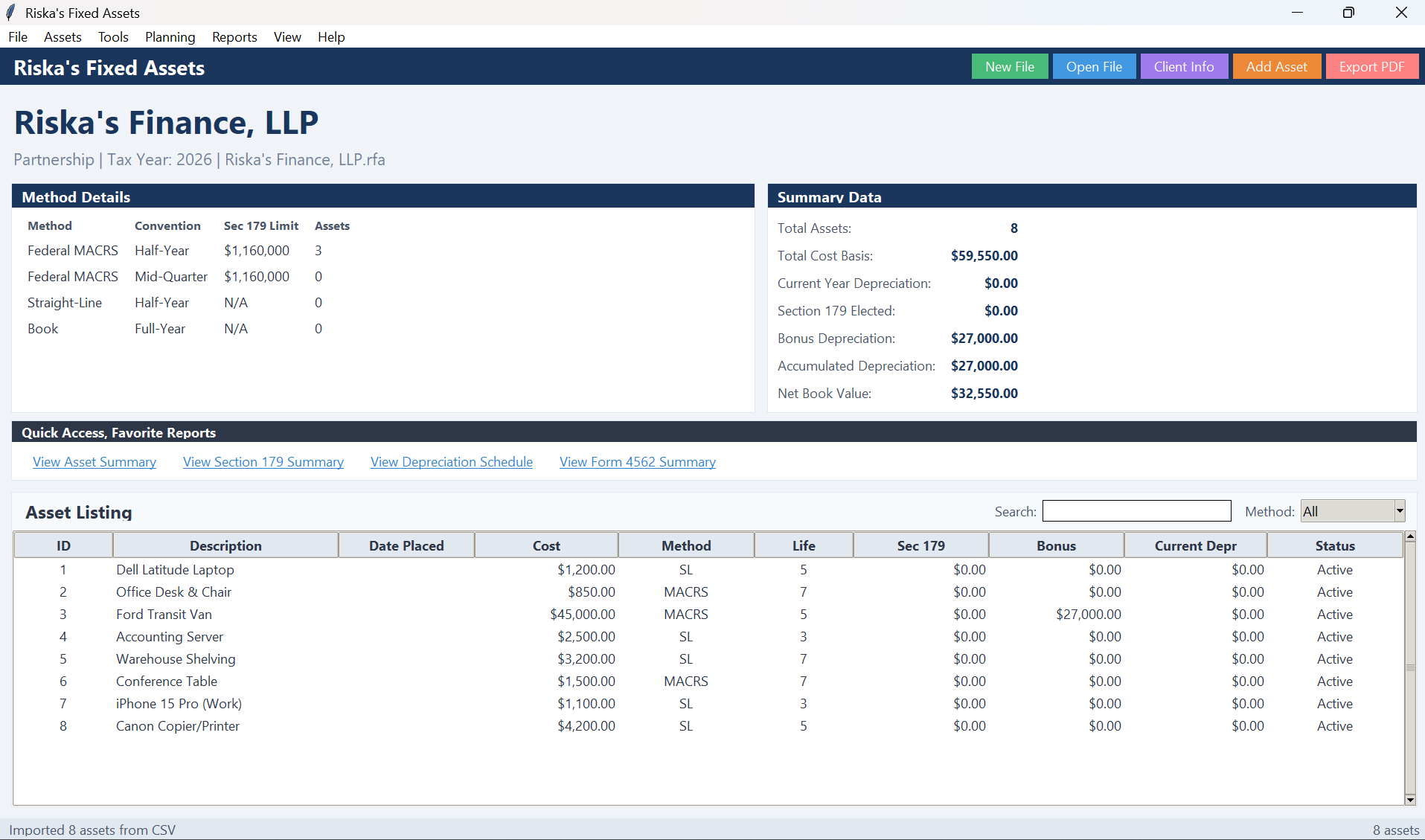
Riska's Fixed Assets Dashboard

Perfect for Any Business

Scalable architecture designed to meet the rigorous demands of financial professionals.

CPA Firms

Manage unlimited client entities.

Small Business

Simplify internal bookkeeping.

Corporations

Forecasting and budget planning.

Freelancers

Track equipment and write-offs.

Intuitive Asset Entry

Eliminate manual calculation errors. Our intelligent entry wizard ensures compliance with the latest tax codes.
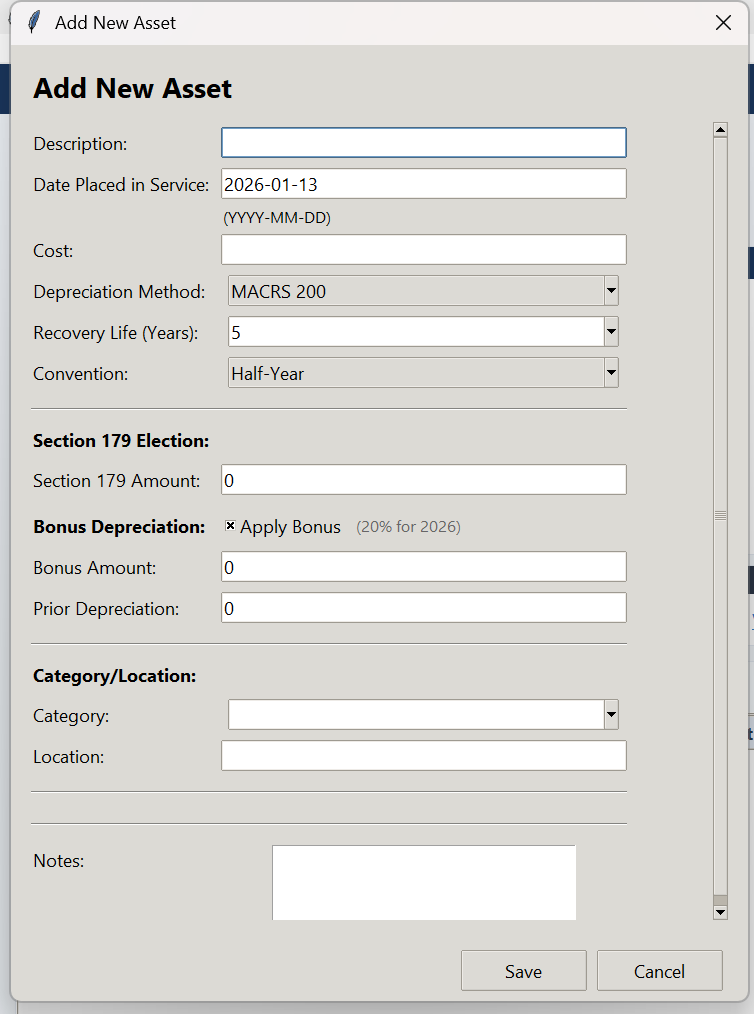
  • Smart Templates: Pre-defined templates (Vehicles, Computers) auto-fill life years.
  • Tax Incentives: One-click election for Bonus Depreciation and Section 179.
  • Real-time Validation: Prevents saving incomplete or non-compliant records.
Asset Entry Form Interface

Audit Trail & Data Integrity

Maintain granular control over your financial data. Riska's Fixed Assets is built for audit readiness.
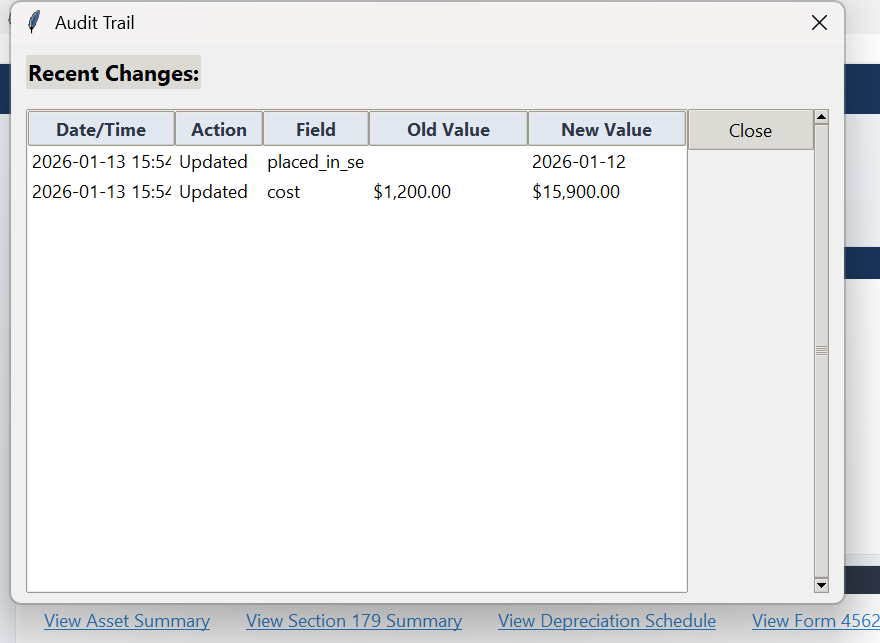
  • Change Logs: Detailed history of who changed what, when, and previous values.
  • Health Diagnostics: System-wide scans to identify missing or inconsistent data.
  • Local Database: Your sensitive financial data stays on your machine, not the cloud.
Audit Trail Interface

Powerful Reporting Engine

Generate professional, exportable reports for tax filing, management review, and budget forecasting.
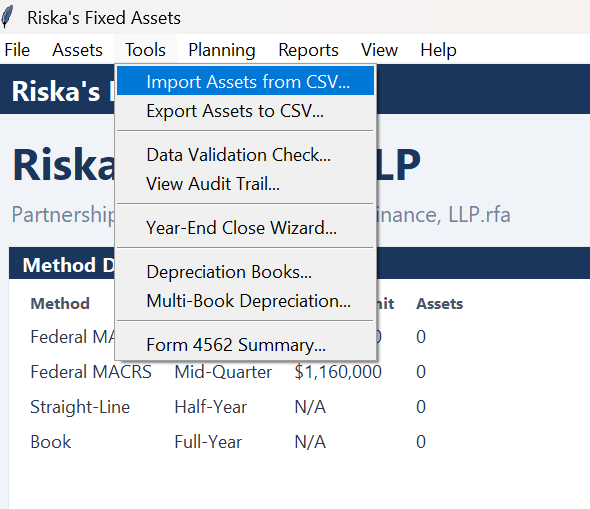
  • Tax Ready: Generates data structured for IRS Form 4562.
  • Interoperability: Seamless Excel and PDF import/export capabilities.
  • Forecasting: Project future depreciation expenses up to 10 years.
Reporting Tools Interface

Simple, Transparent Pricing

One time purchase. Own your software.

Single User License

$199
One-time purchase / Perpetual License
  • Unlimited Clients
  • Unlimited Assets
  • PDF & Excel Exports
  • Priority Email Support
Purchase License

Secured via Stripe

Installation Guide

Windows Users

Double-click the installer (setup.exe).

Note: If prompted by Windows SmartScreen, click More Info then Run Anyway.
macOS Users

Locate the app in Finder after downloading.

Tip: If prompted, Right-Click the icon and select Open to authorize.

System Requirements

Windows 10/11 (64-bit) or macOS 12+ • 1GHz Processor • 4GB RAM • 500MB Disk Space